
Decide whether a monitor solves a real nursery problem
If your baby is sleeping in the same room as you and you can hear and see them easily, you may not need a monitor immediately. A monitor becomes more useful when the baby sleeps in another room, when your home has more than one floor, or when you want to check the cot from a nearby kitchen, studio or living room without repeatedly opening the door. For a straightforward choice, write down where the baby sleeps now, where they may sleep later and what you want to check: sound, a visual view, or both.
The question is not whether every new parent needs the same equipment. It is whether a monitor makes a particular part of your routine simpler without creating false reassurance. A consumer monitor can let you listen and look from a separate room, but it is not a medical device and it does not replace direct checks or the safer-sleep information you are following. Treat it as a practical household tool, not as a guarantee that your baby is safe or comfortable.
Match the choice to a UK home and sleeping arrangement
In a typical UK home, the useful setting may change over the first months. You might begin with the cot beside your bed, then move the baby to a nursery upstairs while you spend time downstairs, or use a travel cot in a different room. A monitor is most relevant when walls, distance, household noise or a busy evening make it difficult to rely on your ears alone. If the cot is always within clear view and hearing range, a video model may add little at that stage.
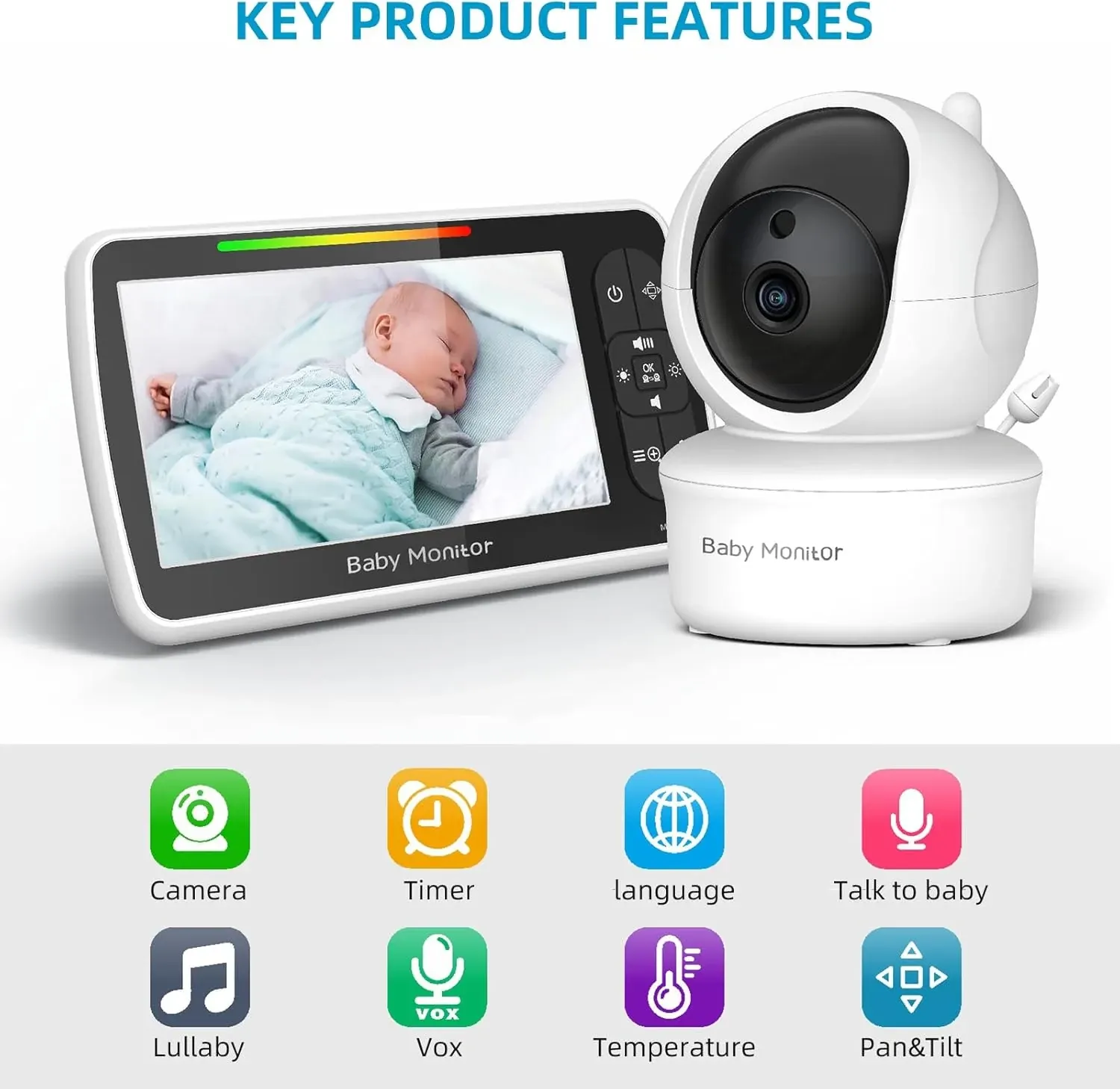
Think about who will use it as well as where it will sit. A parent unit with its own screen can be convenient for a partner, grandparent or carer who does not want to use a phone or install an app. The Babystar SM650 has a 5-inch parent-unit screen and camera audio, so the decision can centre on whether that dedicated screen suits your routine. It is designed for nursery viewing and listening, rather than for managing several rooms or creating a wider smart-home system.
Check the documented features against the job
Start with the functions you would actually use at the packing bench of an evening, in a downstairs kitchen or while settling another child. Video gives you a visual check; audio lets you hear what is happening; night vision is relevant when the nursery is dark; and VOX voice activation can make the screen respond to sound rather than staying fully active all the time. Two-way talk may help you speak to someone in the room, while soothing sounds are an optional part of a night routine rather than a reason to buy on their own.
The Babystar SM650 documents all of those functions: camera and audio, night vision, VOX, two-way talk and soothing sounds. Its camera also offers remote pan, tilt and zoom, allowing the view to be adjusted from the parent unit rather than by walking into the nursery. That is useful only if the camera is positioned where those controls can show the cot or nursery area. A feature should earn its place by matching a real task, not simply because it appears on a product page.
Use the no-WiFi design as a clear decision check
A no-WiFi monitor may suit parents who want a dedicated, plug-and-play arrangement without connecting a camera to a home network. The Babystar SM650 uses 2.4GHz FHSS transmission and is described as a private, no-WiFi system. In practical terms, that means you are choosing a camera and parent unit designed to work together, rather than a product whose main viewing route is a phone app. This can be a sensible fit if you want to avoid account or app setup, provided the supplied instructions meet your intended room layout.
Do not choose no-WiFi simply because the label sounds automatically better. It may be less suitable if your priority is viewing from outside the home or using a phone as the main screen; those capabilities are not documented here and should not be assumed. Before buying, check the full instructions for power arrangements, transmission range and placement guidance, because the product facts supplied do not state those details. The honest decision is whether a private parent-unit system is enough for your household.
Separate useful reassurance from limits and mismatches
The temperature display can give you information about the nursery environment, but it should not be treated as a health assessment or a promise that conditions are suitable. Likewise, video may show a position or movement at the moment you look, but it cannot tell you everything about a baby’s wellbeing. The Babystar SM650’s documented features include temperature display, audio and video; they do not establish medical monitoring, breathing detection or any safety outcome. Those distinctions matter when tiredness and worry make a screen feel more authoritative than it is.
This model may be the wrong purchase if you need a phone-based camera, cloud access, documented multi-camera expansion, or a monitor with a stated operating range that matches a large property. Those details are not included in the available product facts, so they need checking before purchase rather than guessing. It may also be unnecessary while the baby sleeps beside you and you already have a clear line of sight. Avoid buying because other parents describe a monitor as essential; buy only when its job is clear in your own home.
Run this nursery monitor checklist before comparing models
Use this sequence at the cot, not just at a computer. First, mark the intended camera position and confirm that the camera can be powered there according to the instructions. Second, identify the view you need: the Babystar SM650 documents remote pan, tilt and zoom, but the product information does not give camera dimensions or a stated viewing range. Third, decide whether you need audio all the time or a sound-triggered screen through VOX. Fourth, check whether a 5-inch parent-unit screen is comfortable for the person who will use it.
Then compare the transmission and night routine. Ask whether a no-WiFi 2.4GHz FHSS connection matches your preference for a private, plug-and-play system. Confirm that night vision, two-way talk and soothing sounds are genuinely relevant rather than decorative extras. Finally, check the parent unit: the documented 3000mAh battery, adjustable screen settings, temperature display and feeding alarm may be useful, but the facts do not state battery runtime. Record every unanswered point and look for it in the manufacturer’s instructions before treating the model as a fit.
Choose a practical next step for your household
If your baby is currently in the same room, you can postpone the purchase and revisit it when the cot moves to a separate nursery. If you already need to listen and look from another room, the Babystar SM650 is worth considering when its documented set-up matches your needs: a 5-inch dedicated screen, camera audio, no-WiFi 2.4GHz FHSS transmission, remote pan-tilt-zoom, night vision, VOX and two-way talk. Keep the decision tied to the room and routine you have described, rather than to anxiety or a long feature list.
Before ordering, write down the three checks that would change your mind: for example, whether the camera can be placed at the intended cot view, whether the parent unit works for the person doing night checks, and whether the no-WiFi arrangement is sufficient. Read the supplied set-up information for any details not documented here, especially power, placement and transmission guidance. That short exercise gives you a grounded answer to “do I need a baby monitor UK”: you need one only when it solves a defined viewing or listening job without being mistaken for a safety or medical system.